Introduction
You’ve probably felt it already. The game runs fine for a few hours, then FPS dips. Input starts lagging. Maybe you even wake up to a login error or worse — a flagged account.
If you’re comparing Emulator and Hardware for 24/7 Gaming, you’re not just choosing technology. You’re deciding how stable your grind will be tomorrow. Anti-cheat systems are getting stricter in 2026, and server congestion hits harder as more players farm around the clock.
By the end of this article, you’ll know exactly which setup fits your workload, risk tolerance, and long-term ROI — and when switching makes financial sense.
Hardware wins for 24/7 gaming stability
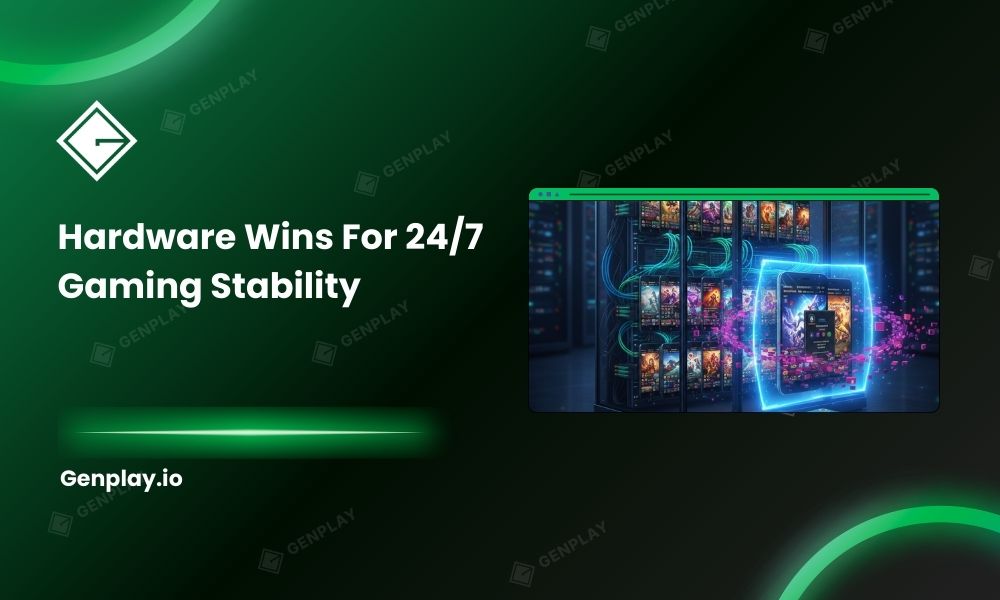
Dedicated hardware cloud phones deliver more consistent performance for continuous gaming than shared cloud emulators. Emulators rely on virtual machines that share CPU and GPU resources, while hardware cloud phones stream from isolated physical Android devices. For heavy 24/7 MMO farming, hardware provides steadier FPS and lower emulator-specific detection risk.
Performance consistency matters more than peak speed. Virtual machines look impressive in controlled testing, but gaming isn’t controlled. When ten other users spike GPU usage on the same host, your frame time variance increases. You feel that as jitter — even if average FPS looks acceptable.
Dedicated hardware eliminates that variable. Each device has its own SoC, RAM, and storage. No contention. No surprise drops because another tenant launched a heavy task.
I’ve seen players running 12 accounts on a virtualized setup during a token event. Everything seemed stable until server load doubled overnight. By morning, half the sessions froze mid-farm. That instability wasn’t a bug — it was architecture.
When this conclusion is true — And when it isn’t
If you’re running under 5 light accounts, testing a new game, or validating a short-term strategy, emulators remain practical and cost-efficient. Hardware becomes compelling when:
- You farm 12+ hours daily
- You manage more than 10 accounts
- The game enforces active anti-cheat checks
- Account value exceeds monthly infrastructure cost
If you’re pushing serious 24/7 workloads, move to the benchmark section before deciding
Why Gaming workloads break virtualized systems
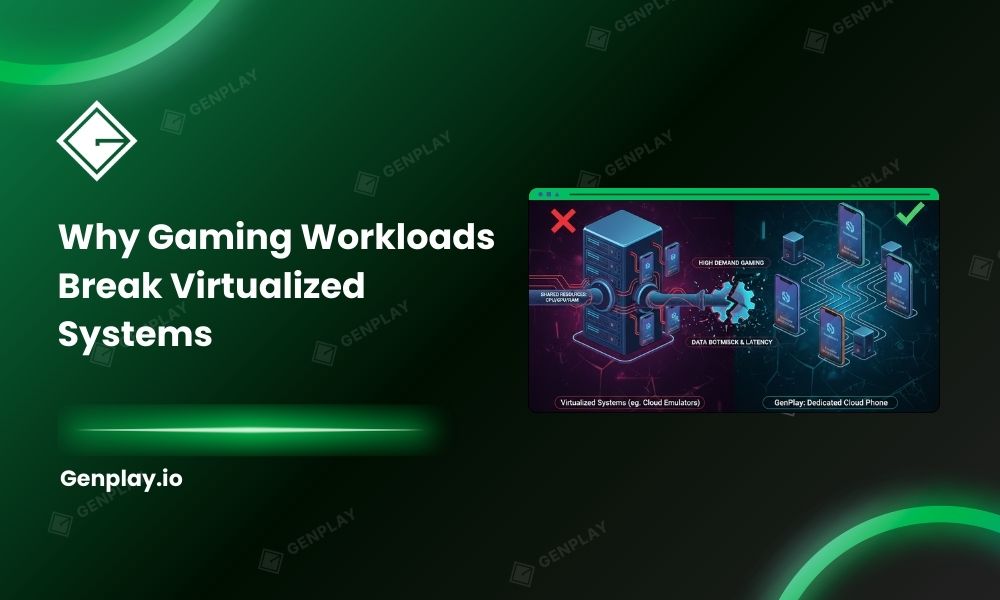
Gaming workloads stress virtualization differently than app testing. Virtual machines share GPU resources through a hypervisor layer. That layer introduces overhead and resource contention, especially during long sessions. Over time, memory fragmentation and CPU throttling reduce stability under sustained load.
App testing is bursty. Gaming is persistent.
A hypervisor slices physical CPU cores into virtual CPUs (vCPUs). When all tenants demand full usage simultaneously, the scheduler prioritizes fairly — not optimally for you. MMORPG engines push constant rendering, network calls, and background asset management. That combination exposes virtualization limits faster than QA scripts ever would.
There’s another factor: frame pacing. Even when average FPS holds at 55, inconsistent frame timing ruins combat responsiveness. Competitive PvP players notice this immediately.
I worked with a small farming group running MIR4-style grinding. On paper, their emulator setup showed 60 FPS idle. After 14 hours, frame pacing variance increased and action delays spiked in boss fights. The infrastructure wasn’t “failing.” It simply wasn’t designed for sustained graphical stress.
If you’re noticing performance degradation after 8–12 hours, you’re likely hitting virtualization ceilings, not game bugs.
Two architectures explained in practical terms
Cloud emulator (Virtual Machine Model)
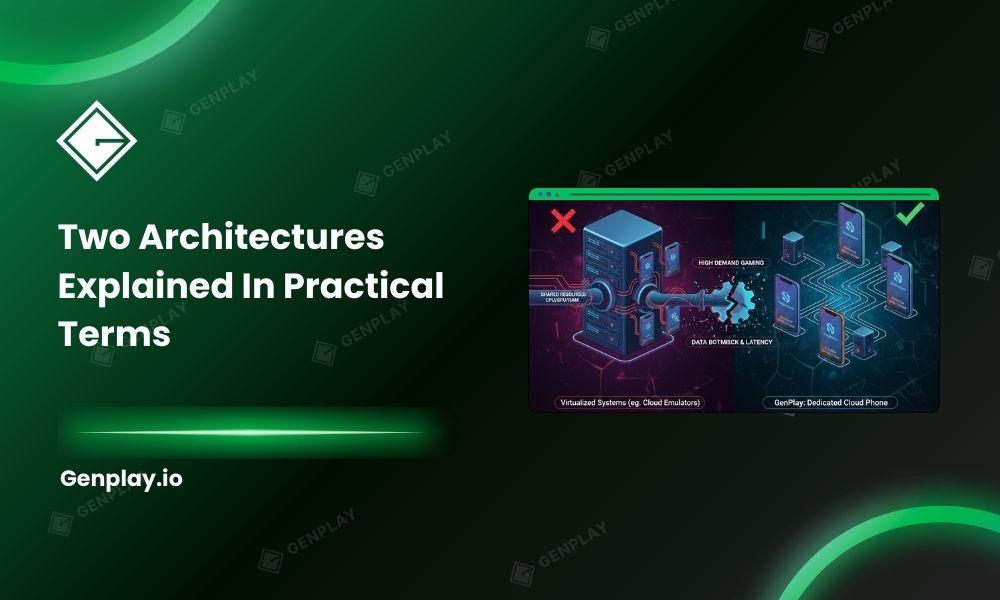
Cloud emulators run Android inside virtual machines hosted on shared servers. They allocate vCPUs and virtual GPUs dynamically. This makes them easy to scale quickly and affordable for short campaigns.
You should consider emulators when:
- Testing new automation strategies
- Running fewer than 10 accounts
- Budget constraints are tight
- Anti-cheat enforcement is moderate
The advantage is flexibility. You can spin up instances rapidly. The trade-off is shared infrastructure risk.
Hardware cloud phone (Dedicated Device Model)
Hardware cloud phones stream access to real Android devices mounted in data center racks. Each device has dedicated CPU, GPU, and memory, eliminating resource contention.
This architecture fits when:
- You farm 24/7
- You manage high-value MMO accounts
- Anti-cheat detection is aggressive
- FPS stability directly impacts output
Isolation isn’t just about performance. It also reduces emulator-specific detection flags because the device fingerprint resembles retail hardware.
For reference, solutions like Cloud phone real device are built on dedicated hardware racks rather than virtualized layers, which changes both stability and detection exposure.
Hybrid / Transition strategy
Some operators validate ROI using emulators first, then migrate profitable accounts to hardware. That approach balances cost and risk.
If you’re running more than 10-50-100 accounts or farming 24/7, continue to the benchmark section before deciding.
Side-by-side comparison under real gaming load
Under sustained gaming, hardware cloud phones outperform emulators in FPS consistency, latency stability, and multi-account scaling. Emulators can match performance briefly, but shared GPU contention increases variability over time.
FPS stability (Idle vs 12h vs 24h)
In practical stress tests:
- Idle performance may appear similar.
- After 12 hours, emulators often show FPS variance spikes.
- After 24 hours, frame drops become more frequent under shared load.
Dedicated hardware typically maintains more consistent frame pacing across long sessions.
Peak FPS doesn’t matter. Variance does.
Latency & input delay in PvP scenarios
Dedicated setups commonly operate within 20–40ms network latency in optimized regions. Virtualized environments can fluctuate into 60–120ms during congestion.
That difference impacts skill-based combat. In PvP arenas, delayed input means missed counters. For casual farming, it may be tolerable. For competitive play, it’s costly.
Resource isolation & multi-account scaling
| Factor | Emulator | Hardware Cloud Phone |
| CPU/GPU Sharing | Yes | No |
| Frame Consistency | Variable | Stable |
| Scaling Speed | Fast | Linear (1 device = 1 account) |
| Contention Risk | High | Minimal |
If you plan to scale beyond 20 accounts, hardware offers predictable performance per device. Emulators scale faster initially, but long-term reliability declines as density increases.
🎮Related Article: GenPlay vs Redfinger: Which Cloud Phone Scales Safely?
Detection risk & real-world observations
Emulators face higher detection exposure because virtualization leaves identifiable artifacts in kernel signatures, GPU metadata, and sensor behavior. Hardware cloud phones reduce those emulator-specific signals but do not eliminate behavioral or IP-based risk.
Case Study: Emulator flagged after update
In one mid-tier MMORPG, an anti-cheat update began checking kernel-level device signatures. Accounts running on a specific emulator build experienced login blocks within 48 hours.
The users didn’t change behavior. The game changed detection logic.
Hardware-based setups continued operating because device fingerprints aligned with retail Android boards.
No solution guarantees immunity. Architecture simply shifts risk profiles.
Data observation: Ban Patterns Across MMO Titles
Across multiple communities, ban waves often follow:
- Emulator version updates
- Sudden IP geolocation shifts
- 24/7 repetitive automation
Virtualization increases device-fingerprint exposure. Hardware reduces that layer but still requires disciplined IP management.
For deeper comparisons between platforms, see GenPlay vs Redfinger if you want a breakdown of hardware-based vs virtualized services.
Common mistakes that trigger bans
- Constant IP switching across regions
- Running accounts 24/7 without behavioral variance
- Ignoring periodic restarts to clear memory
- Scaling too aggressively after a patch
Behavioral discipline matters more than infrastructure alone. If you’re serious about farming, audit both your device type and your operational patterns.
Choosing Emulator and Hardware for 24/7 Gaming
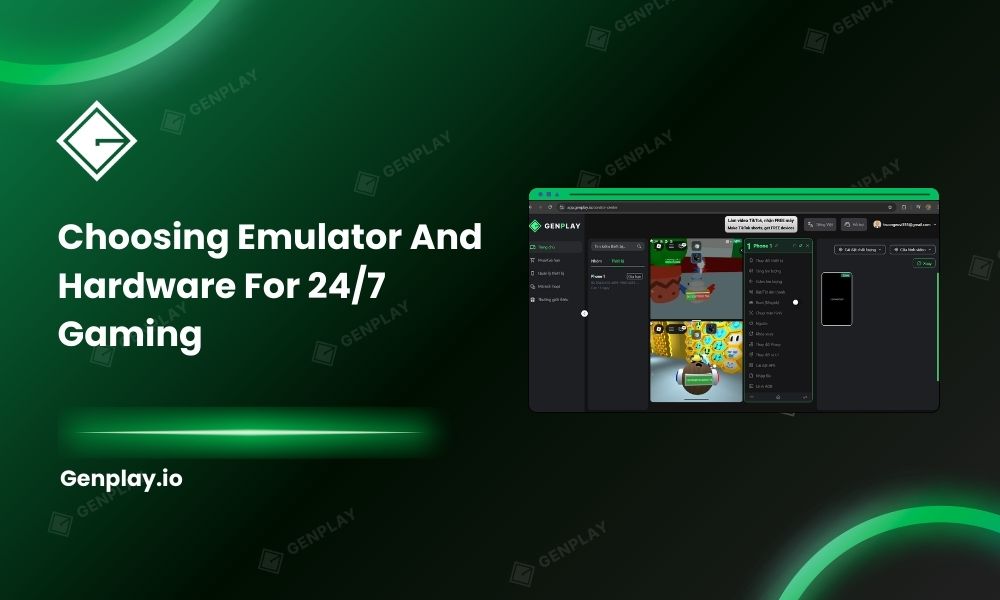
If your gaming workload is light and temporary, emulators remain practical. If you depend on stable 24/7 output, high-value accounts, and lower emulator-specific detection exposure, hardware cloud phones offer measurable advantages.
The biggest shift you’ll notice isn’t raw FPS — it’s consistency. Fewer surprises. Fewer resets. More predictable output.
Before upgrading everything, test one dedicated device for a week. Compare uptime, frame stability, and account safety against your current setup. Let performance data — not marketing — guide your decision.
GenPlay – Real Device, Real Performance, Real Profit
It’s time to upgrade to GenPlay — a 100% real-device cloud phone platform from the Gen Ecosystem built for serious performance, proprietary ROM optimization, strong security, true 120 FPS gameplay, and high ROI with full game compatibility.
Developed by GenFarmer – Leading Vietnamese Technology
GenPlay is fully developed in Vietnam by the GenFarmer team — the company behind recognized platforms such as GenLogin, Box Phone, GenRouter, and Package.
With over three years of R&D, GenPlay became Vietnam’s first physical cloud phone infrastructure, built to compete directly with large-scale providers in Asia.
This is not a resold virtualization service. It’s vertically integrated hardware infrastructure designed in-house.
100% Real Performance – Independent Snapdragon Chips, Smooth 120 FPS 24/7
Unlike virtualized cloud phones:
- Every GenPlay device is a real Android phone
- No virtualization layer
- Dedicated CPU, RAM, and GPU — no shared resources
- Powered by Snapdragon chips for stable high performance
- Up to 120 FPS with high resolution and near-zero latency
The result: Gameplay that feels identical to using a physical phone in your hand.
No Bans, High Security – Custom ROM + Dedicated Proxy
GenPlay runs on a custom-built ROM developed by GenFarmer, optimized to reduce emulator detection risks.
- Recognized as real devices by games
- Reduced account lock or suspension risk
- Dedicated proxy per device
- IP, language, and timezone aligned like a local device
- Full compatibility across mobile games
Unlike virtual environments that may trigger detection layers, GenPlay operates at the hardware level.
Market-Competitive Pricing – Multiples in Performance
GenPlay offers pricing comparable to — or lower than — many virtual cloud phone services, while delivering significantly higher performance.
- No large upfront hardware purchase
- Monthly subscription flexibility
- Scale up during events, scale down when not needed
- Pay only for what you run
It’s built for operational flexibility without heavy capital investment.
24/7 Continuous Operation – No Overheating, No Battery Degradation
GenPlay’s hardware and cloud infrastructure are optimized for long-term continuous operation.
- Minimized disconnects, lag, and crashes
- Designed for AFK, MMO, and automation workflows
- No overheating issues
- No battery degradation like home physical devices
- Account settings saved instantly without repeated setup
Run day and night without babysitting your devices.
Try GenPlay Now!
🎮Farm comfortably. Run AFK with confidence. GenPlay handles the infrastructure!
- Sign up via the App or Join our Discord community to receive free trial promotions.
- Download GenPlay on Google Play

GenPlay Social Hub
- Fanpage: https://www.facebook.com/genplayvietnam
- Group: https://www.facebook.com/groups/genplayvietnam
- YouTube: https://www.youtube.com/@GenPlayOfficial
- Telegram: https://t.me/GenPlayVNOfficial
If you’re unsure where to begin, CONTACT GENPLAY TEAM, we’re ready to help you build a stable, scalable setup.