



Open the management tool
Open the Gen Manager app available on the Cloud Phone home screen.
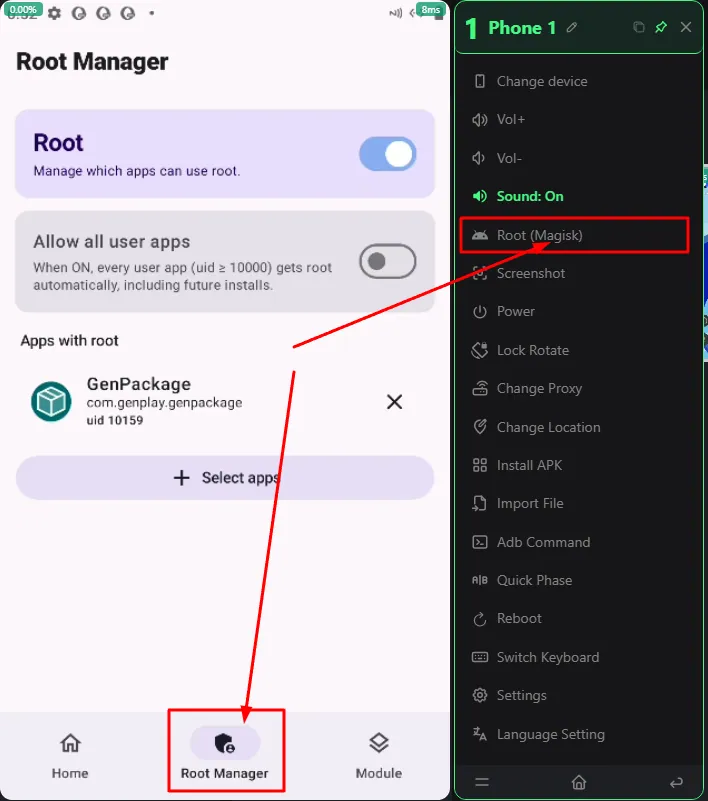
Choose the Root permission mode
On the main interface, you will see the Root management optionNote: It is not recommended to enable Root All Apps, which grants Root access to every app. Instead, find the specific app or tool that you want to grant Root access to
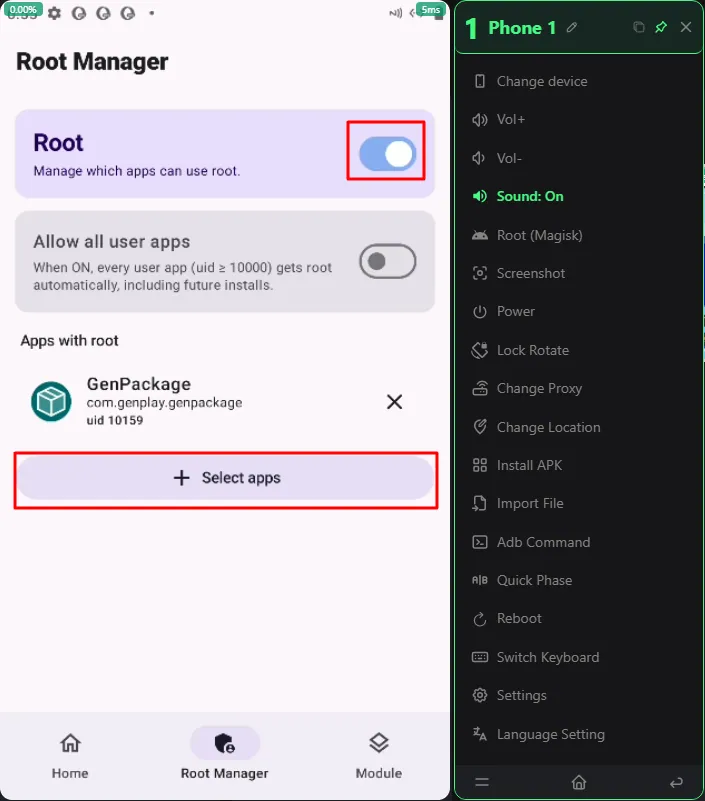
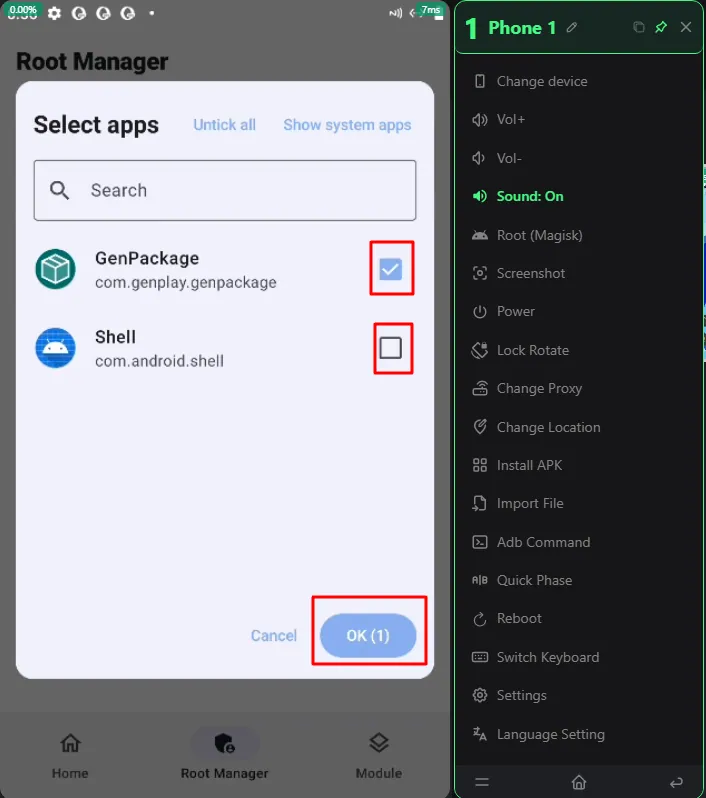
Enable Root for the selected app
Turn on the Root switch only for the app you need.Other apps, such as your main game, banking apps, or e-wallet apps, will not be granted Root access.
Want to try 24/7 AFK?
Free trialJoin the GenPlay Discord to claim a free trial device, or email [email protected].