

1. How to Buy a Cloud Phone on GenPlay
Step 1: Choose Your Device Configuration
Open the GenPlay app → go to Buy → select your preferred Cloud Phone configuration:
Chip: Snapdragon 845, 855, 835, etc.
RAM: Choose the available RAM configuration.
Storage: 64GB or 128GB.
Android version: Select the available Android version.
Server: Choose a suitable server for a stable connection.
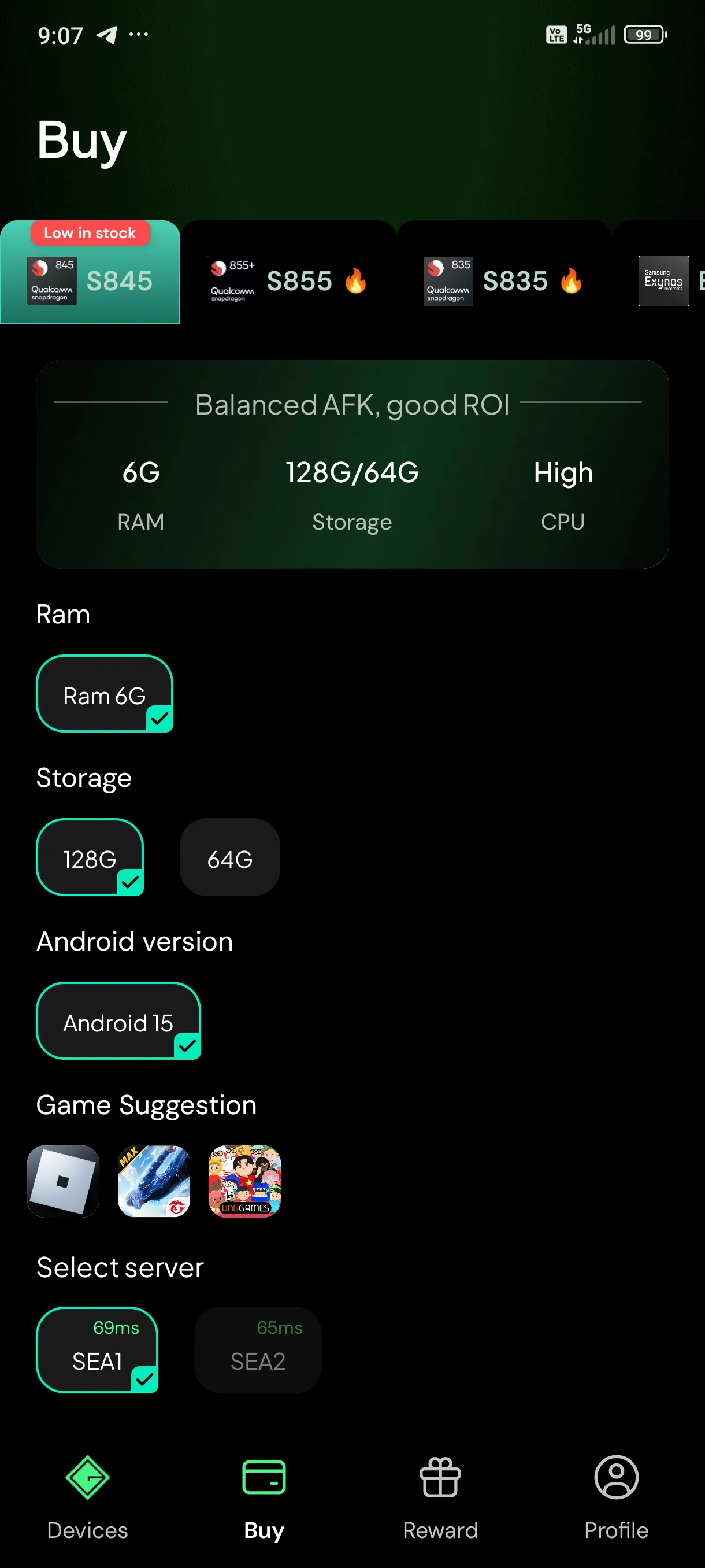
Step 2: Select Your Subscription Duration
Scroll down and choose a plan: 15, 30, 90, 180, or 360 days.
Adjust the number of devices under Quantity, then tap Buy now.
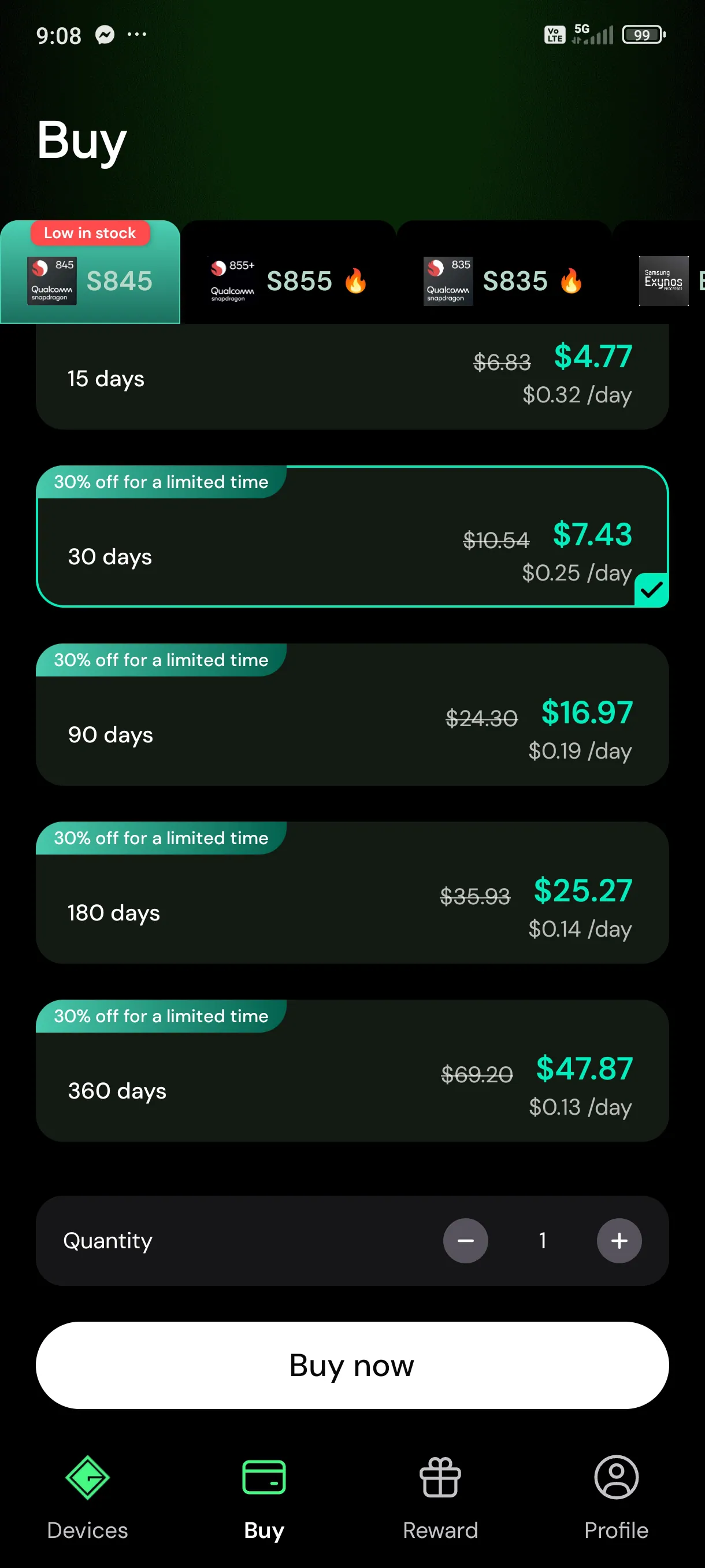
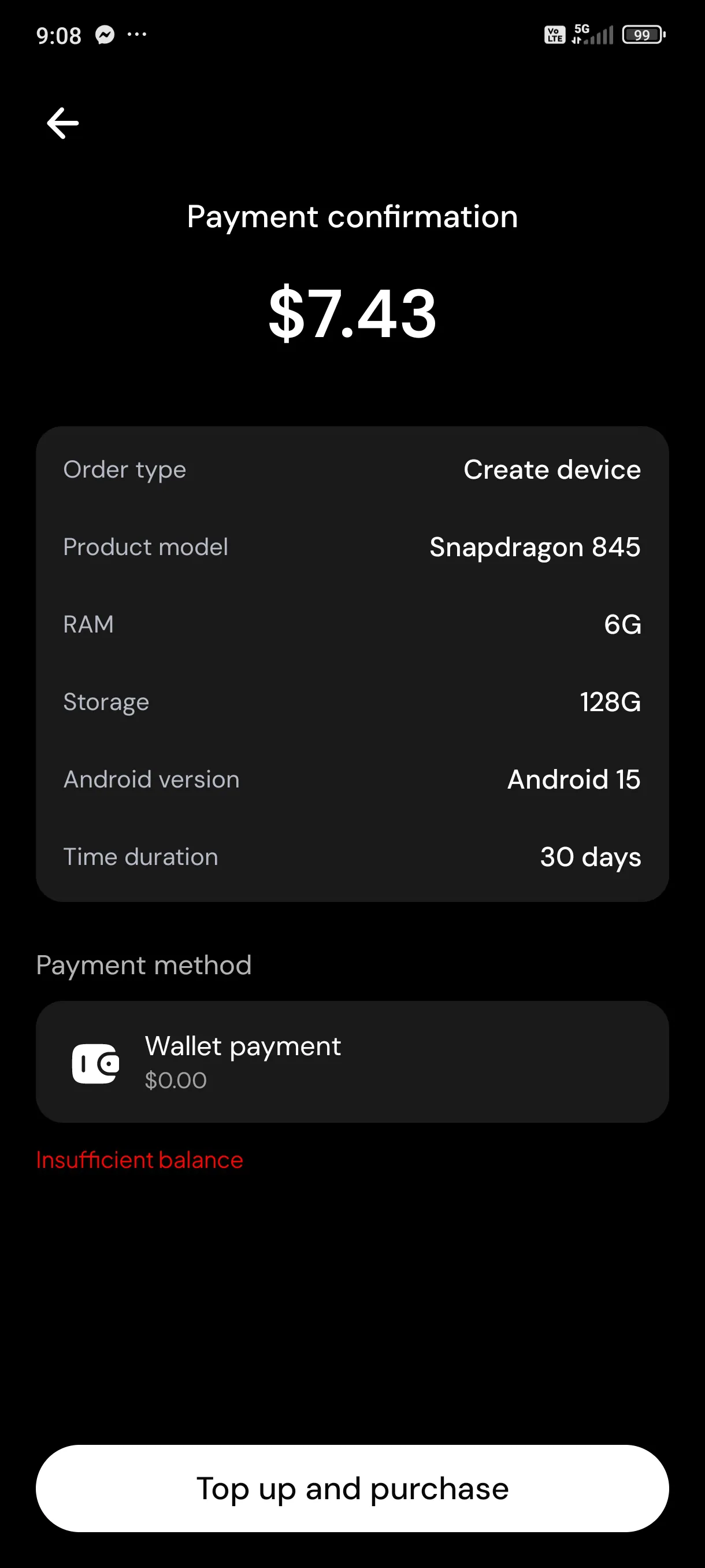
Step 3: Confirm and Complete Payment
Review your device configuration, subscription duration, and total price on the Payment confirmation screen.
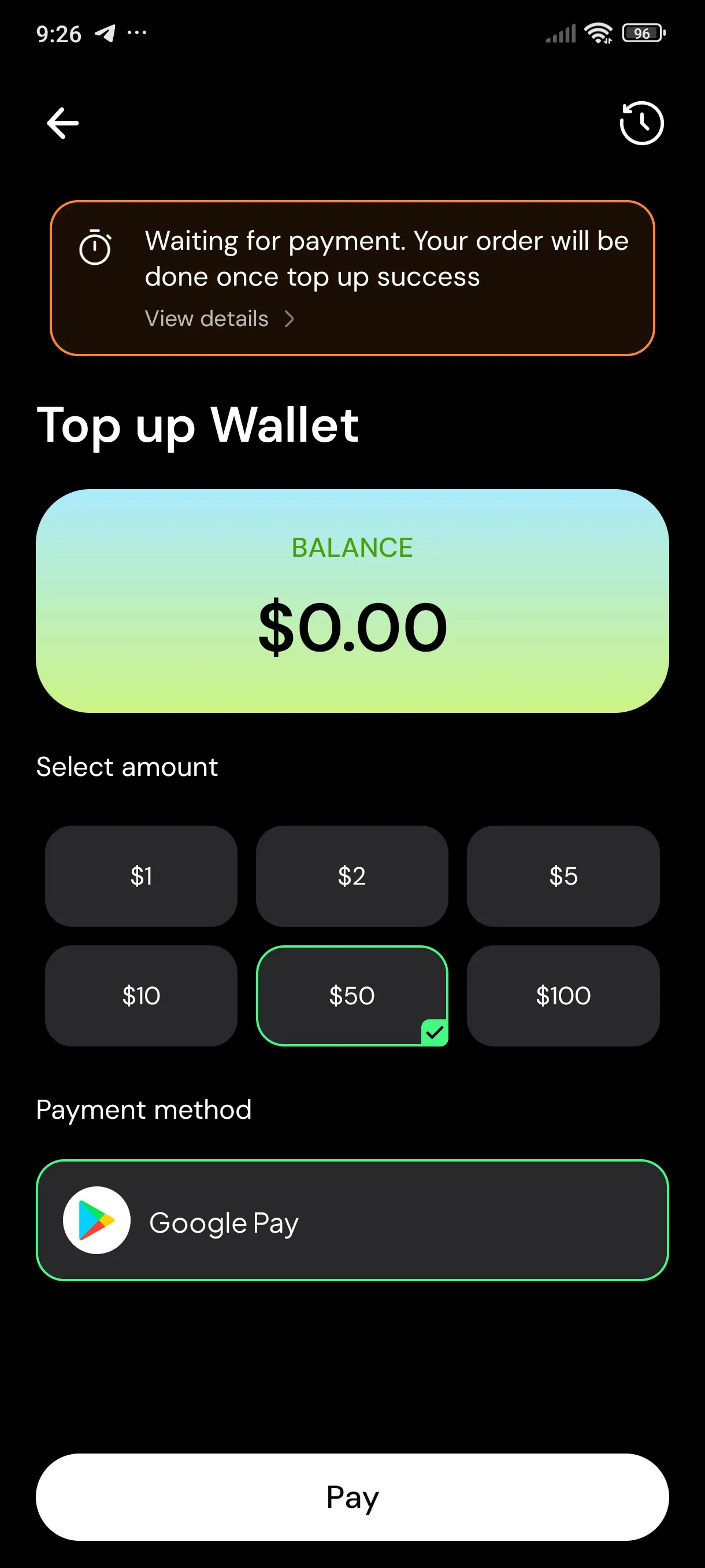
Tap Top up and purchase if your wallet balance is insufficient.
Select a top-up amount and complete your payment through Google Play.
Once payment is successful and your order is processed, your new Cloud Phone will appear under Devices.
2. How to Renew a Cloud Phone on GenPlay
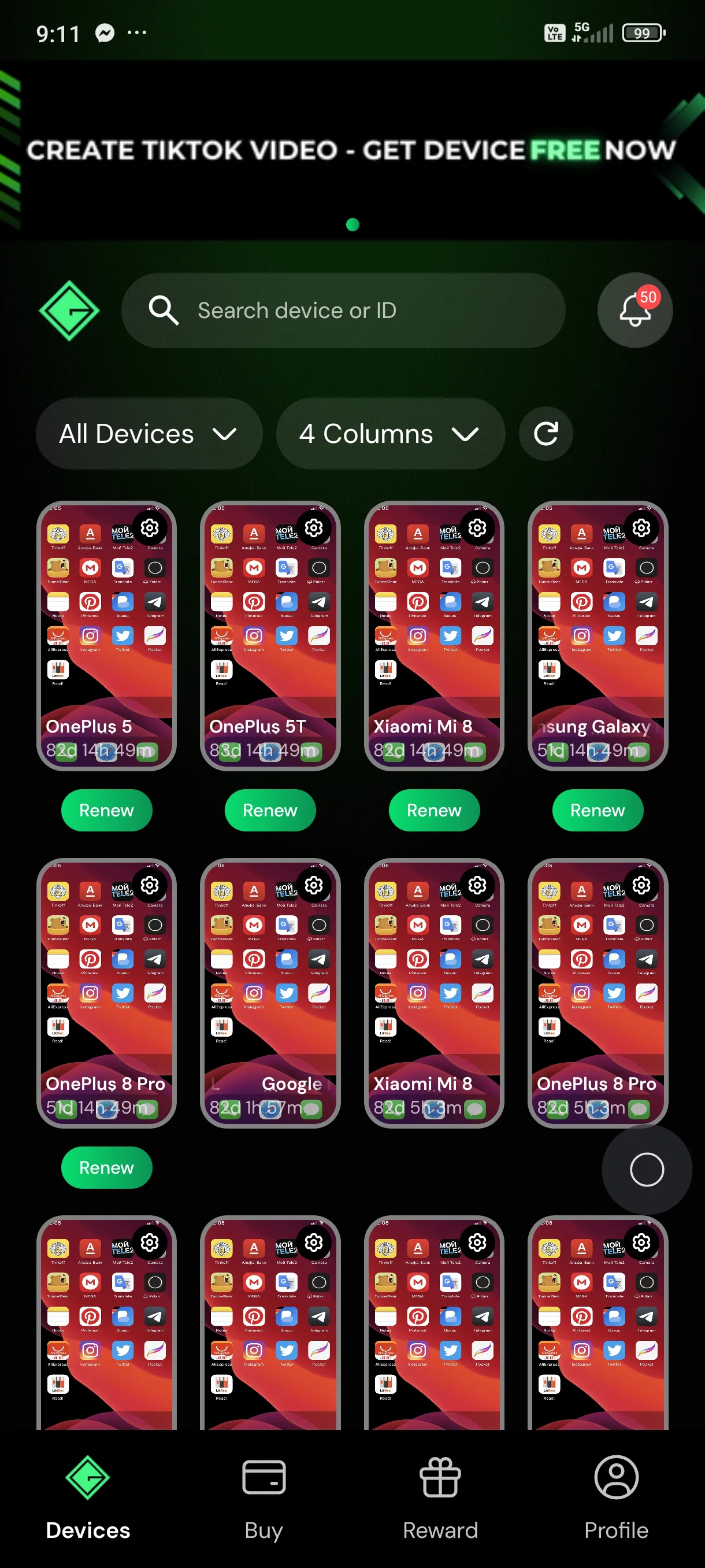
Step 1: Open the GenPlay app and go to Devices then find the device you want to extend and tap Renew.
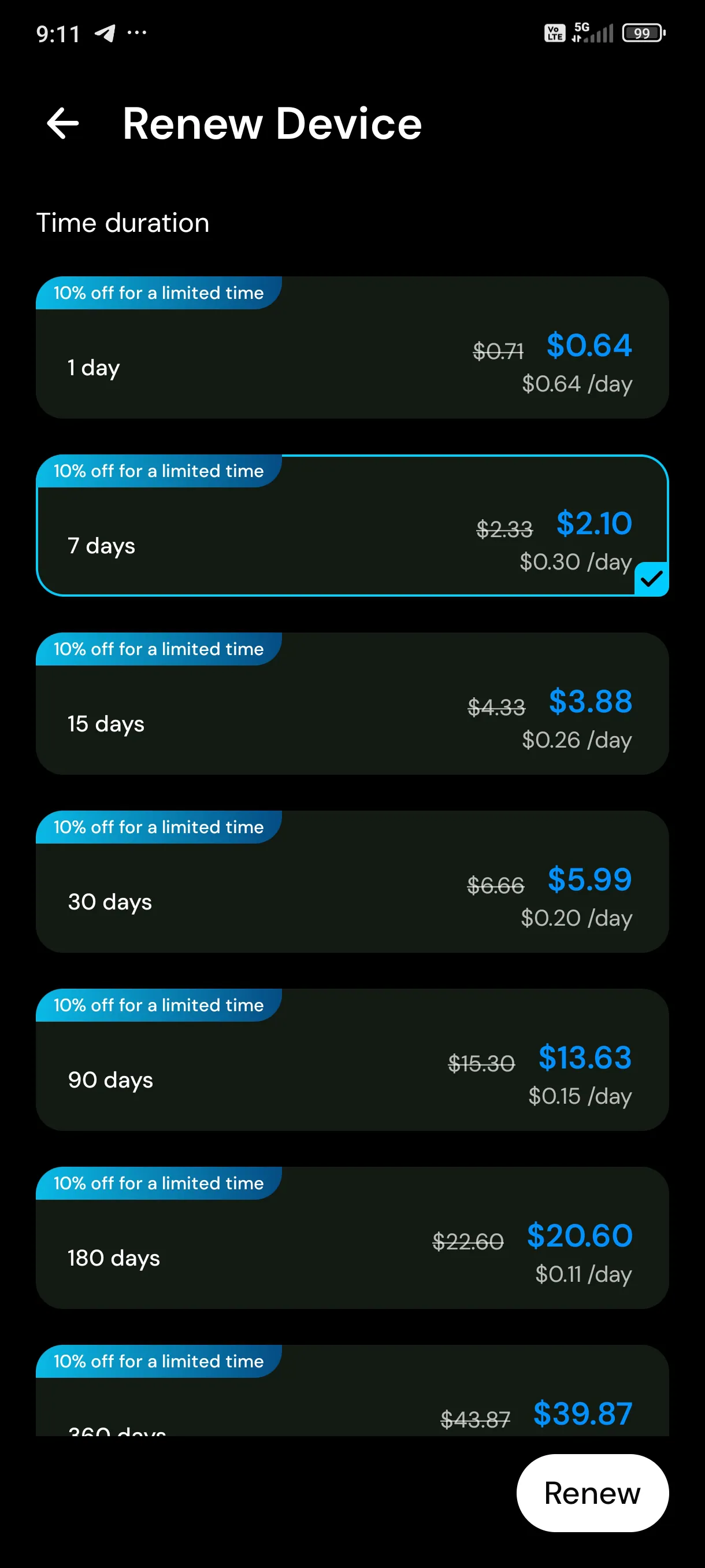
Step 2: Select your preferred renewal duration: 1, 7, 15, 30, 90, 180, or 360 days then tap Renew and complete the payment.
Once the renewal is successful, the purchased duration will be added to your device's remaining usage time.
Note: Renew your device before it expires to avoid interruptions during AFK gaming sessions.
3. How to Activate or Renew a Cloud Phone Using Codes
If you already have an Activation Code or Renewal Code, you can redeem it directly without purchasing a new plan.
Activate a New Device with an Activation Code
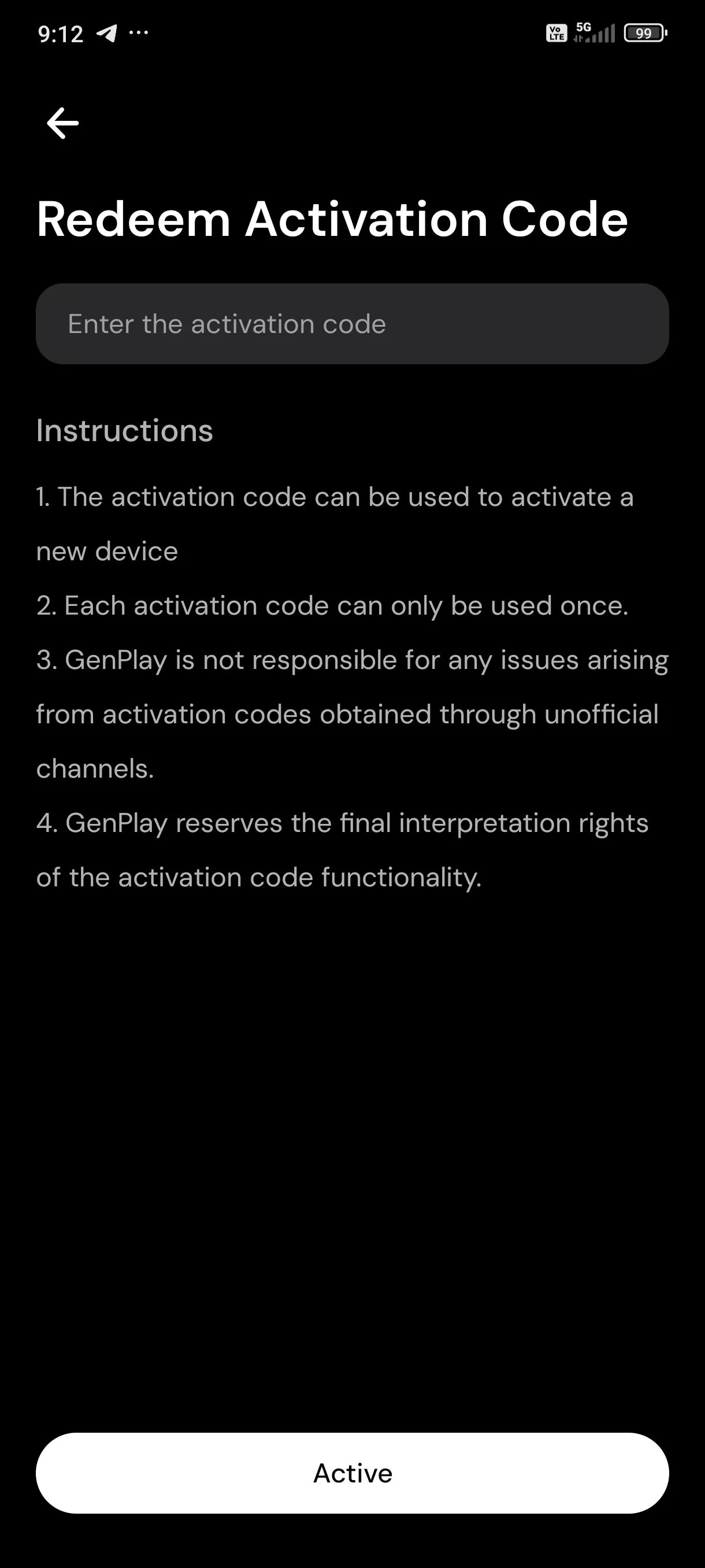
Go to Profile → Redeem Activation Code.
Enter your code in the Enter the activation code field.
Tap Active to activate your new device.
Extend Device Time with a Renewal Code
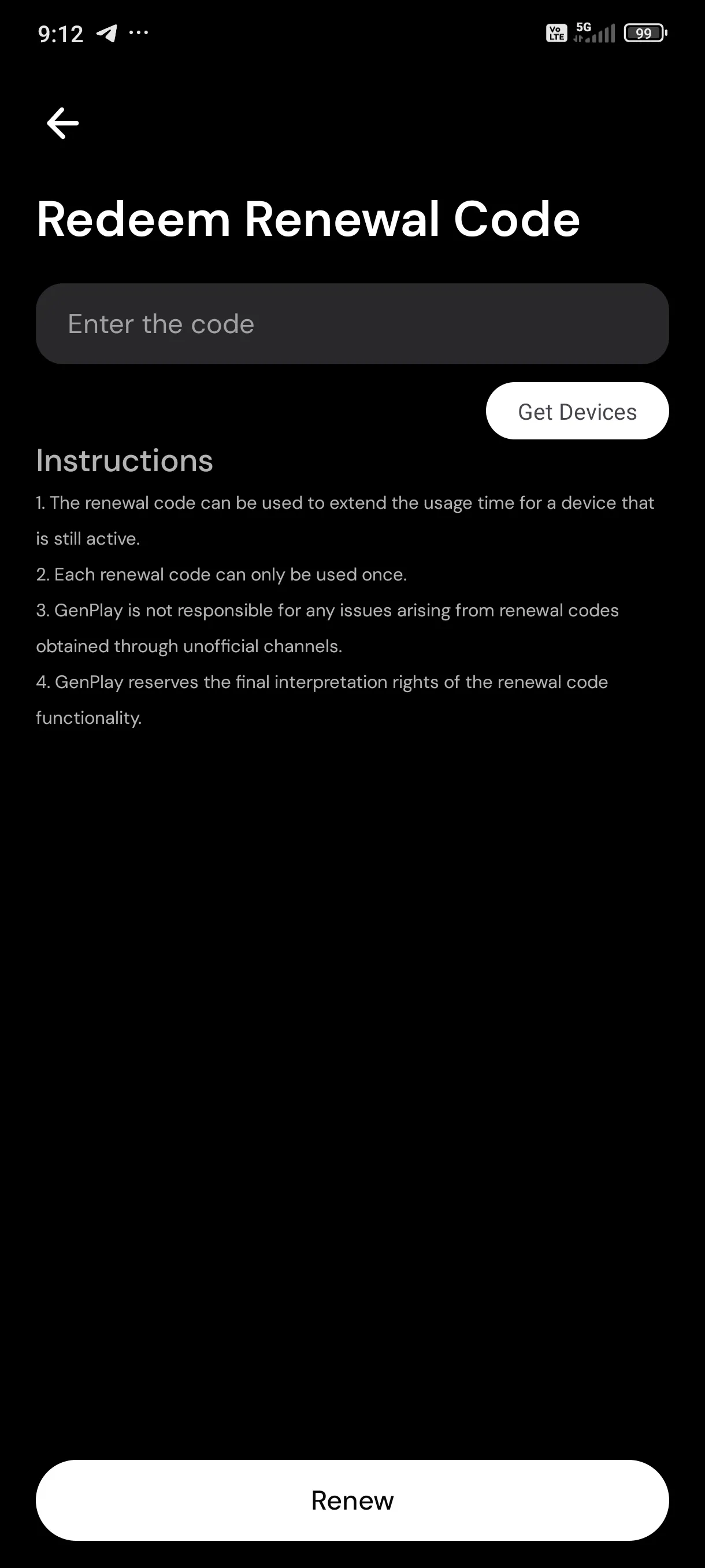
Go to Profile → Redeem Renewal Code.
Enter your code in the Enter the code field.
Tap Get Devices to select the device you want to renew.
Tap Renew to complete the process.
Important Notes:
Each code can only be used once.
Activation Codes are used to activate new devices.
Renewal Codes extend the usage time of devices that are still active.
Only use codes obtained from official GenPlay channels to avoid potential issues.
GenPlay Cloud Phone lets you keep your games running on a cloud device without having to keep your personal phone turned on.
Join the GenPlay Discord to claim a free trial device, or email [email protected].